Code Security overview
Oneleet Code Security is static analysis (SAST) and secrets detection for the code you write. It scans your repositories with Oneleet’s own Opengrep ruleset, dedicated engines for Go and Python, and Gitleaks for leaked secrets. The results become findings you can triage, assign, and resolve on the platform, with a CI check that keeps new issues out of your pull requests.
Static analysis examines source code without running it. That makes it fast and safe to run on every branch, and it can point at the exact file and line where a problem lives. But it also means findings are predictions about code behavior, which is why every finding carries both a severity and a confidence level.
What it finds
Section titled “What it finds”- API keys, tokens, and private keys committed to your code
- TLS certificate verification turned off, and deprecated protocol versions
- Injection risks, from
evalon dynamic input to shell injection in GitHub Actions workflows - Classic web vulnerabilities like XSS, path traversal, and ReDoS
- Weak cryptography, such as timing-unsafe secret comparison and insecure randomness
- Lockfiles pinning package versions compromised in known supply-chain attacks, or carrying critical vulnerabilities
- Hardening gaps, like npm projects that allow install scripts to run
See Scanners and detections for what runs in a scan and which languages are covered.
How scanning works
Section titled “How scanning works”Every repository you add has a target branch (usually your default branch). Oneleet scans the target branch of each repository once a day, and you can start a scan manually at any time with New scan.
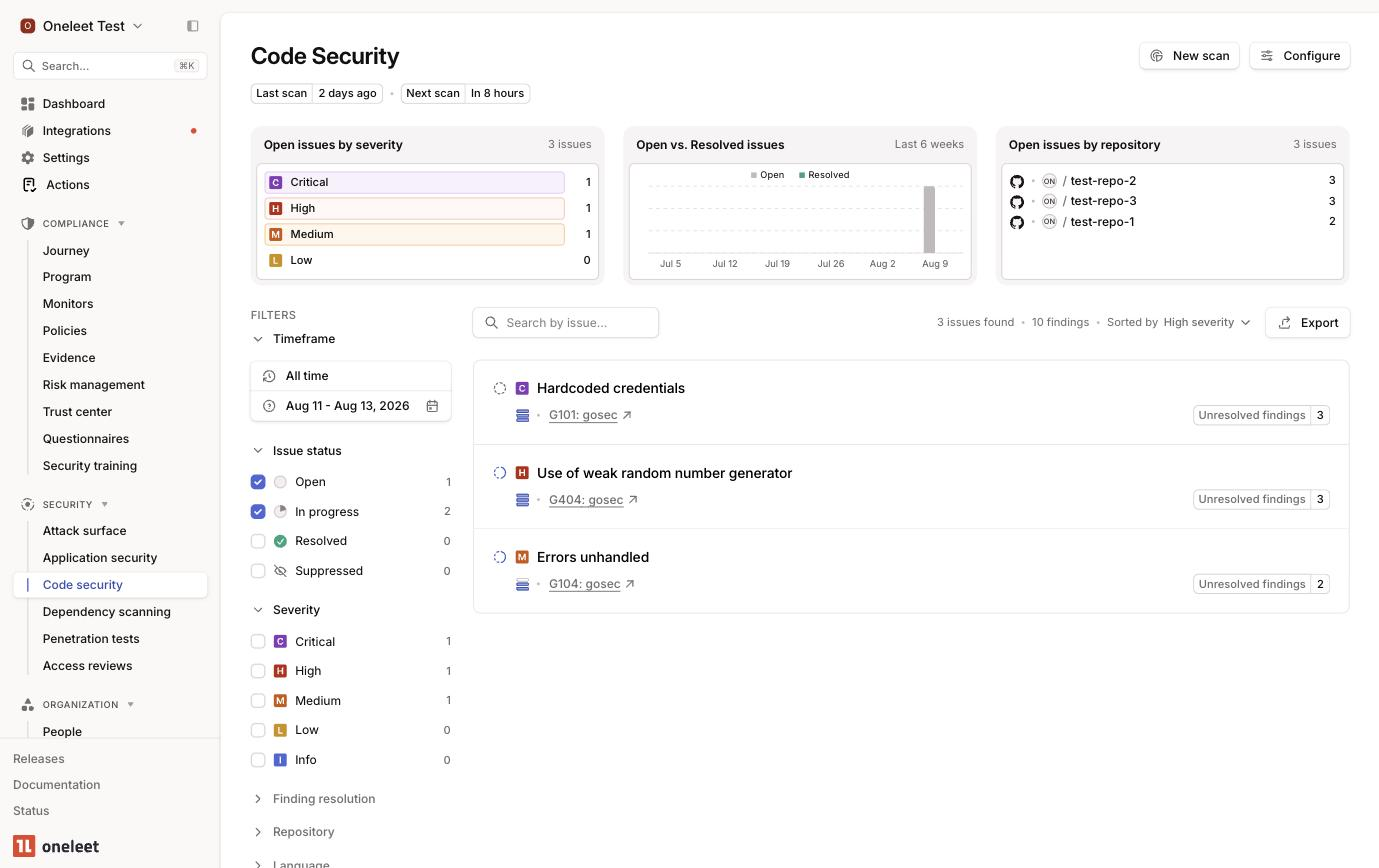
Scan results are grouped into issues (one per scanner rule) and findings (one per affected location). Fix or remove the offending code and the finding resolves automatically at the next scan. See Findings and triage.
With pull request checks enabled, Oneleet also scans every pull request opened against the target branch and fails a GitHub check if the PR would introduce new findings.
Getting started
Section titled “Getting started”Setup takes a few minutes:
- Connect the GitHub (Code) or GitLab integration.
- Select the repositories to scan and pick a target branch for each. Daily scans run against the target branch you specify.
- Set the scanner sensitivity, the minimum confidence level for issues to be reported. Start with Balanced. You can change it later.
- The first scan starts immediately. It can take from a few minutes to an hour depending on repository size, and you’ll be emailed when there are results to review.
From there, consider enabling pull request checks on your busiest repositories, and use Autofixes to generate fixes for findings without leaving the platform.